How to export Etsy shop order data as CSV
For Etsy sellers using Handsdrop for dropshipping, submitting orders one by one becomes time-consuming as order volume grows. A more efficient approach is to export order data from the Etsy admin as a CSV file, then upload it to the Handsdrop merchant mini-program for batch order submission.
This guide covers one specific task: exporting an order CSV from the Etsy back-end, step by step.
Step 1: Log in to Etsy and open the shop admin
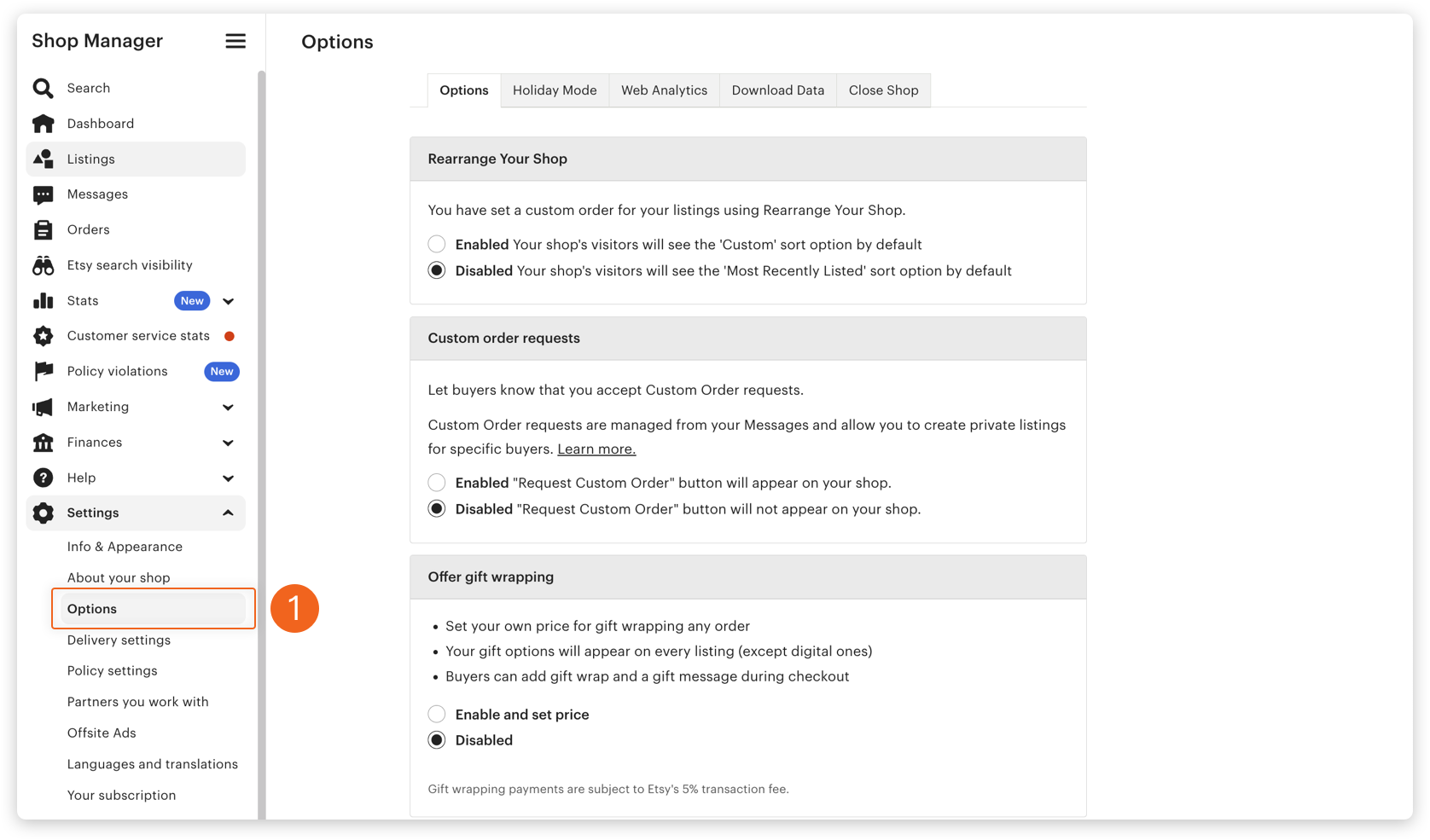
Sign in with your seller account. In the left-hand menu, find Settings, and inside it click Options.
Step 2: Open the Download Data page
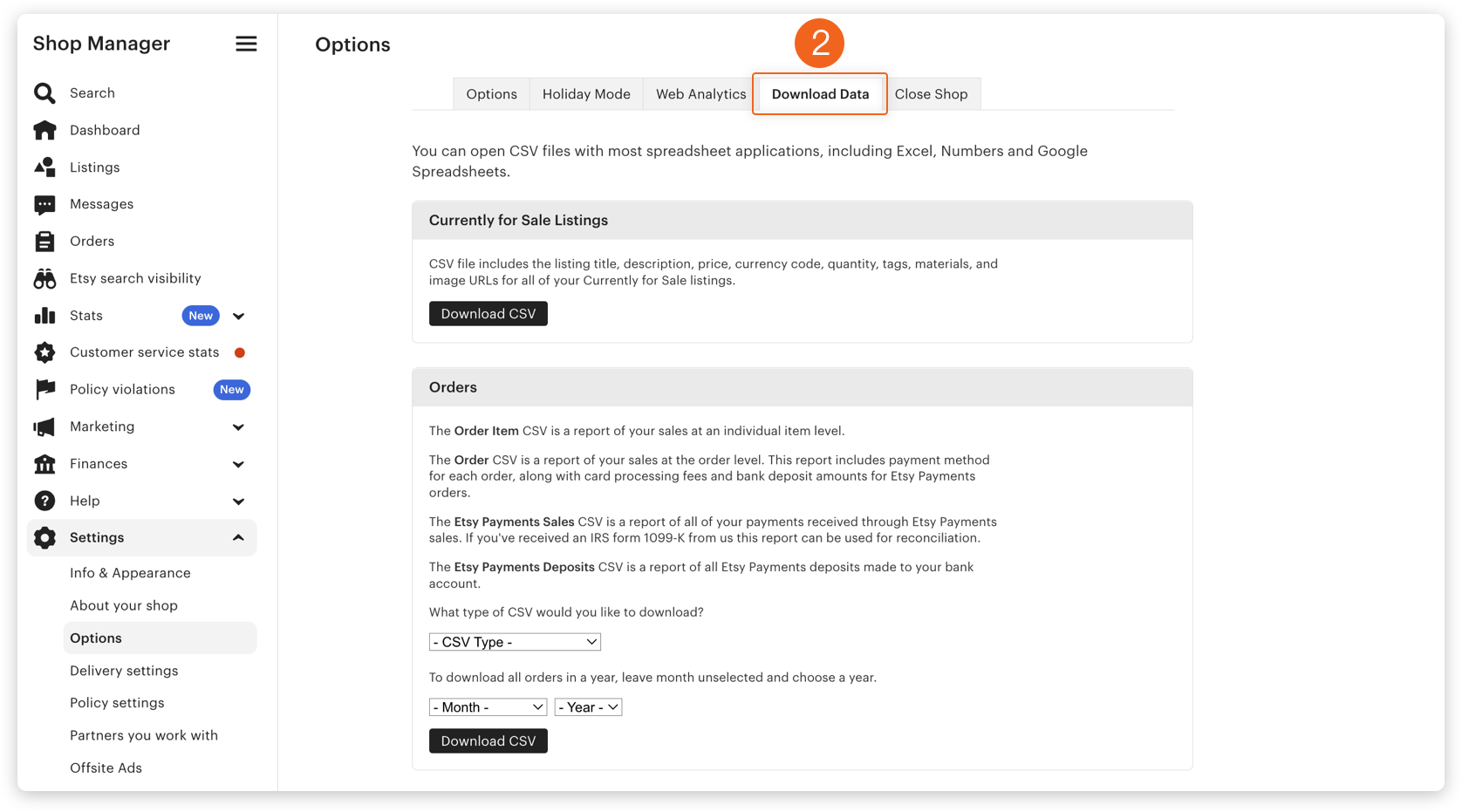
At the top of the Options page, click Download Data. This is Etsy's built-in entry point for downloading order and shop data.
Step 3: Locate CSV Type under Order
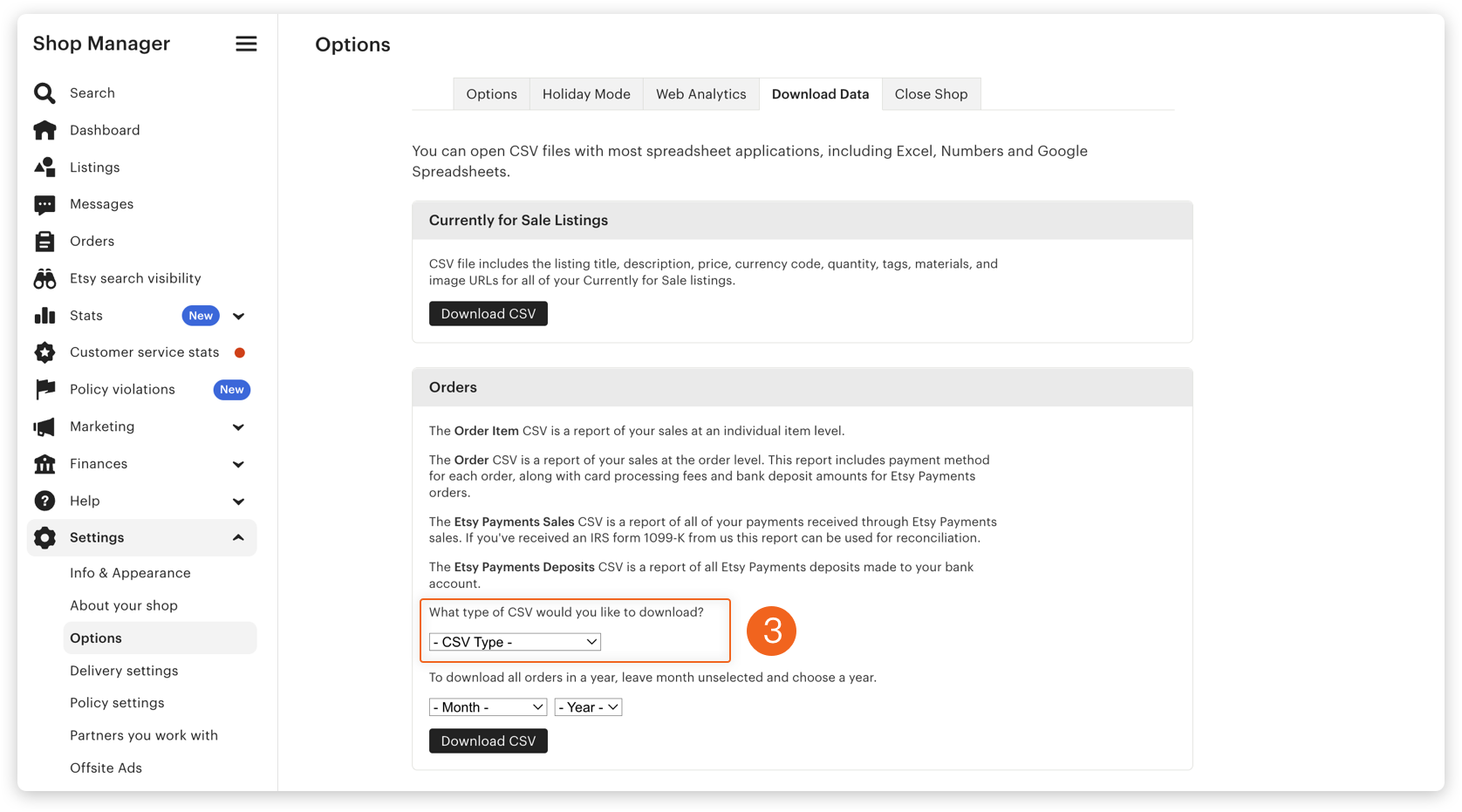
The page will list several types of downloadable data. Look for the dropdown related to Order, labeled CSV Type.
Step 4: Select "Order Item" as the CSV Type
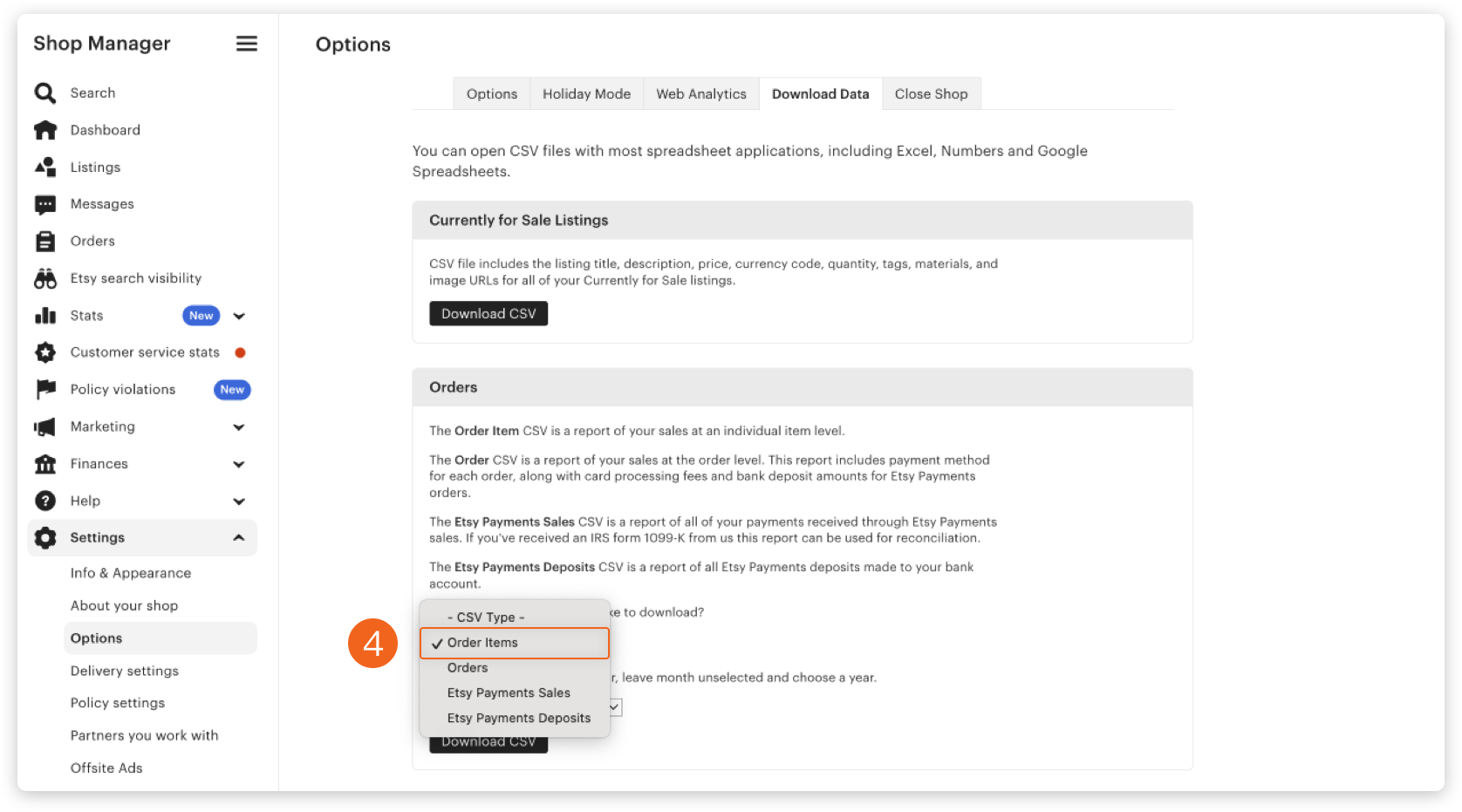
The dropdown offers several options. Choose Order Item, which is the only type that includes individual product-level information alongside the order. If you pick another type, the exported file will not include product details and cannot be used for Handsdrop's batch ordering.
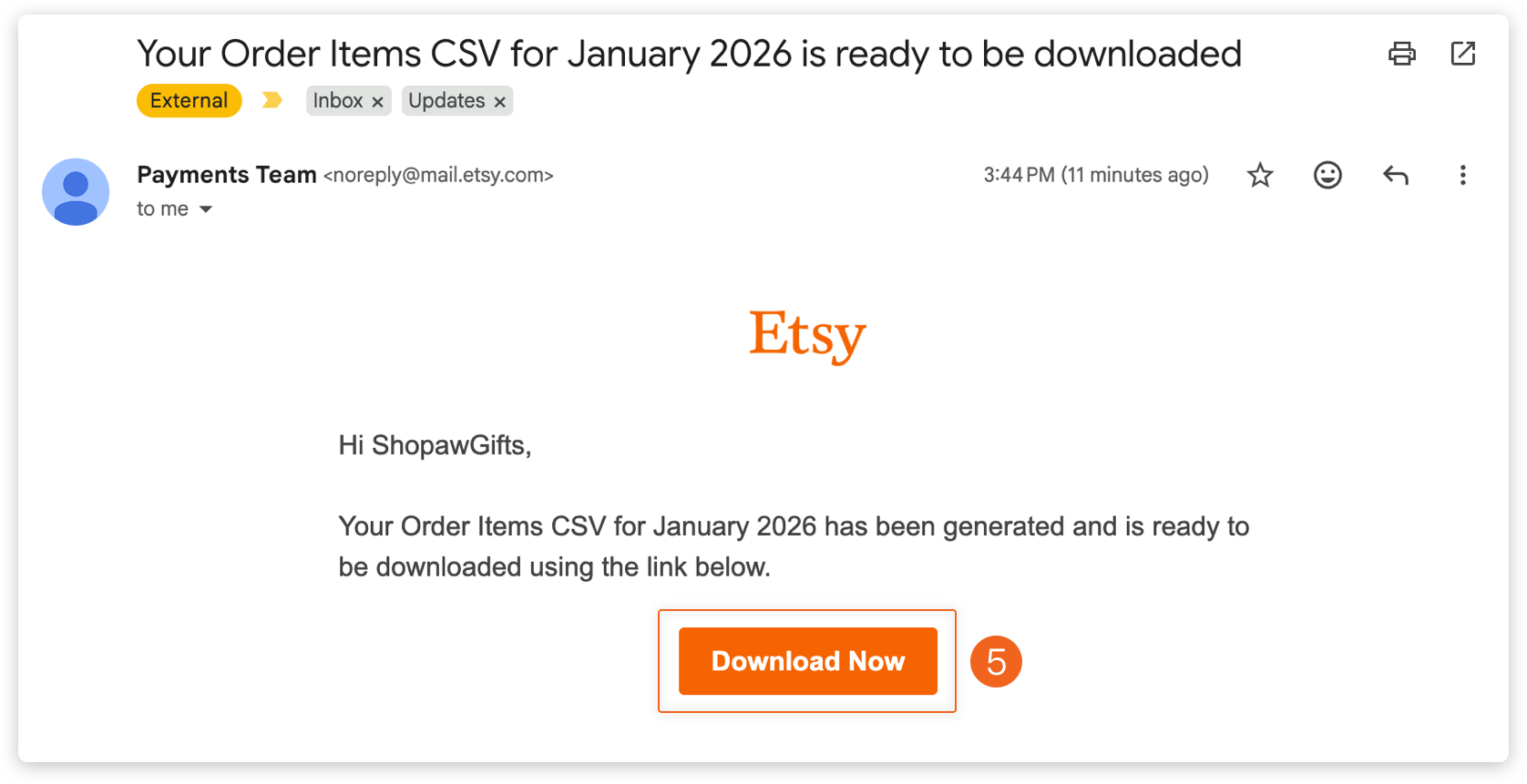
Step 5: Click Download CSV and check your email
After clicking the download button, Etsy sends the CSV file to the email address associated with your seller account, rather than downloading it directly in the browser. Open the email, download the attachment, and you have your order data.
After the export
Once you have the CSV, log in to the Handsdrop merchant mini-program, go to the orders section, select batch import, and upload the file. Handsdrop reads the product information, customization details, and shipping addresses from the file and routes each row to the appropriate workshop for production.
It helps to export at a consistent time each day (for example, each morning) so you don't accidentally import the same batch of orders twice.
Trouble shooting
If CSV Type is missing on the Download Data page, it's usually a permissions issue. Confirm that the account you're logged in with is the Shop Owner or has full management access.
If the email doesn't arrive, check the spam folder first. If it still isn't there, trigger the export again from the Etsy admin.
For any other issues during the process, reach out to Handsdrop customer service , and we'll help you sort it out.